Imagine spending weeks building a business website, choosing the right design, writing service pages, and preparing it for visitors. But when someone enters your web address, the site takes too long to load or does not open at all. The problem may not be your website design. It could be the hosting service behind it. For small businesses in the USA, choosing the right hosting is an important decision that affects website performance, security, reliability, and the overall customer experience.
Website hosting is often treated as a technical detail that can be decided after a website is built. However, the hosting environment determines how your website operates once it goes live. In this blog, we will explore what website hosting means, how it works, the different hosting options available, and which type makes sense for a small business. We will also cover the factors to consider before choosing a provider so you can make a decision based on your actual business requirements.
What is Website Hosting?
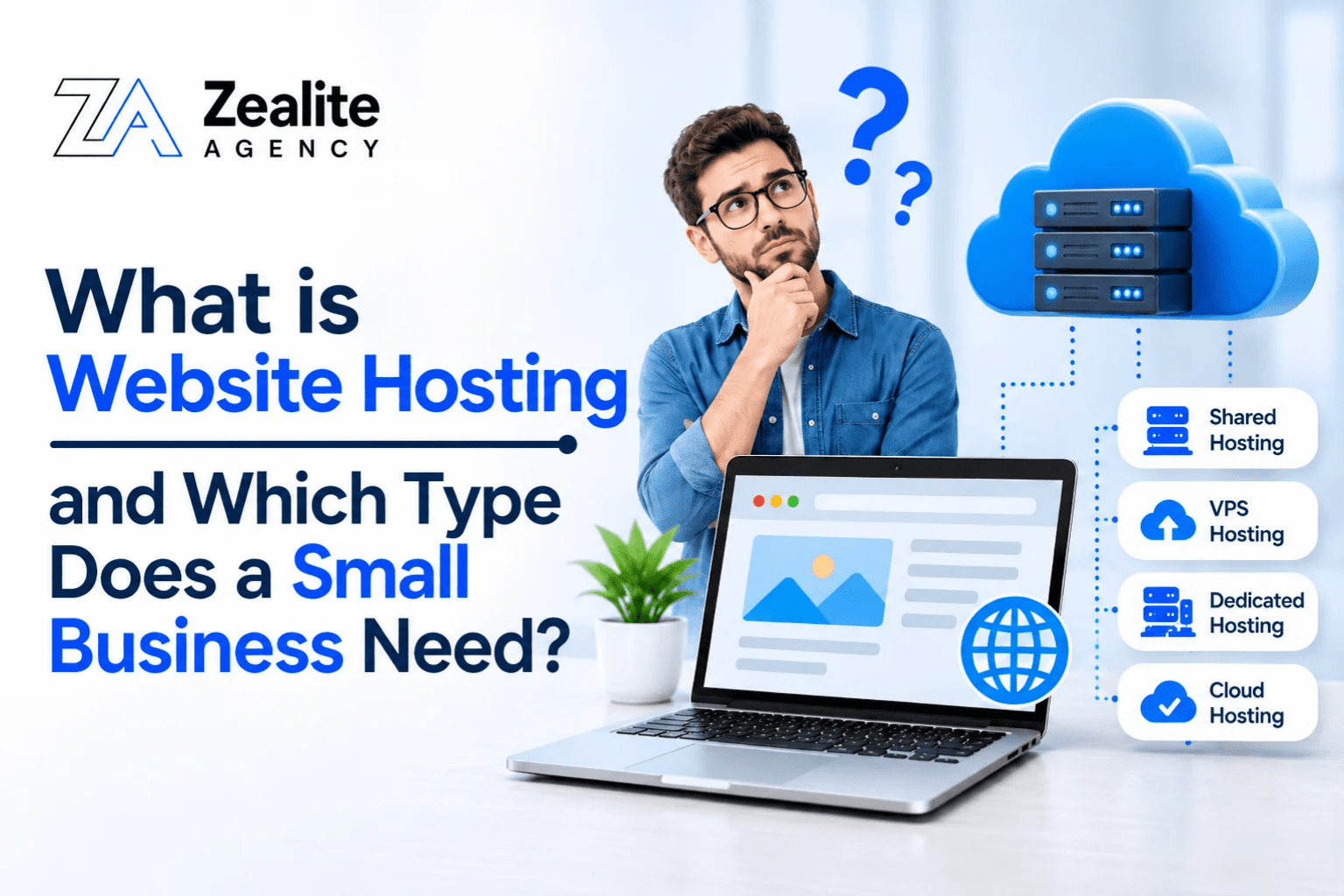
Website hosting is a service that stores your website’s files, images, and data on a server so people can access it online. When someone visits your website, the hosting server loads its content in their browser.
A web hosting plan usually provides:
- Storage: Space for website files, images, and databases.
- Bandwidth: Supports data transfer between your website and visitors.
- Security: Helps protect your website and its information.
- Backups: Keeps copies of your website data.
- Technical support: Helps resolve hosting-related issues.
If you are planning a WordPress website, a WordPress development company in USA can help you choose hosting that suits your website’s needs and expected traffic.
How Does Website Hosting Work?
Web hosting works through a few simple steps whenever someone visits your website.
Here is what happens:
- A visitor enters your domain name: They type your website address into a browser or click a link.
- The browser finds the server: The Domain Name System (DNS) connects the domain name to its hosting server.
- The server processes the request: It finds the required website files and prepares the page.
- The website loads: The server sends the files to the visitor’s browser, which displays the page.
This process usually takes just a few seconds. However, server performance, hosting resources, and network quality can affect loading speed.
For example, if your website receives more visitors than your hosting plan can handle, pages may load slowly or become temporarily unavailable. That’s why choosing the right hosting plan is important.
What are the Different Types of Website Hosting?
Not every business needs the same hosting environment. A basic service website has different requirements from an online store handling hundreds of orders.
Understanding the main types of website hosting can help you choose an option that fits your website and budget.
1. Shared Hosting
Shared hosting places multiple websites on the same physical server. They share resources such as processing power, memory, and storage.
It is one of the most affordable options and works well for businesses launching their first website.
Advantages:
- Affordable monthly or annual plans.
- Easy setup and management.
- Suitable for basic websites with limited traffic.
- Minimal technical maintenance.
Limitations:
- Server resources are shared with other websites.
- Performance may fluctuate during busy periods.
- Limited control over server settings.
Best for: Freelancers, startups, local service providers, and small businesses with basic website requirements.
2. VPS Hosting
Virtual Private Server (VPS) hosting divides a physical server into multiple virtual environments. Each website gets an allocated share of server resources.
Unlike shared hosting, VPS hosting offers more control and better resource separation.
Advantages:
- Allocated server resources.
- More control over server settings.
- Flexibility for growing websites.
- Suitable for increasing traffic.
Limitations:
- More expensive than shared hosting.
- Requires some technical knowledge, especially for unmanaged plans.
- Maintenance may be the customer’s responsibility.
Best for: Growing businesses, content-heavy websites, and companies needing more control over their hosting environment.
Compare: WordPress vs. Wix vs. Squarespace vs. Shopify: Which Is Best?
3. Cloud Hosting
Cloud hosting uses multiple connected servers to provide hosting resources. Instead of relying on one physical server, a website can use resources across the cloud infrastructure.
This makes it easier to adjust resources when website traffic increases.
Advantages:
- Flexible resource allocation.
- Easy scaling as business needs change.
- Potential for improved availability.
- Suitable for websites with changing traffic.
Limitations:
- Costs can be difficult to predict without monitoring usage.
- Setup may be more complex.
- Pricing depends on resource usage and selected services.
Best for: Growing businesses, websites with fluctuating traffic, and companies needing flexible resources.
4. Dedicated Hosting
Dedicated hosting provides an entire physical server to one customer. The business does not share its server resources with other websites.
It offers greater control and allows businesses to configure the server according to their needs.
Advantages:
- Full access to server resources.
- Greater configuration flexibility.
- Suitable for demanding applications.
- More control over security and performance settings.
Limitations:
- Higher costs than other hosting options.
- Requires technical expertise.
- Greater maintenance and security responsibilities.
Best for: Large ecommerce businesses, high-traffic websites, and organizations with demanding server requirements.
For a large online store, working with an ecommerce website design company and choosing to hire ecommerce developers can help you build a website that handles growing product catalogs, customer traffic, and online transactions smoothly.
5. Managed WordPress Hosting
Managed WordPress hosting is designed specifically for WordPress websites. Depending on the plan, the provider handles tasks such as software updates, server optimization, backups, and security.
It allows business owners to focus on website content instead of server maintenance.
Advantages:
- WordPress-specific performance optimization.
- Simplified maintenance and updates.
- Backup and security features.
- Support tailored to WordPress websites.
Limitations:
- Usually costs more than basic shared hosting.
- Some providers restrict certain plugins or configurations.
- Less flexibility than managing your own server.
Best for: Businesses using WordPress that prefer a managed hosting environment.
Before choosing a platform, it is worth comparing WordPress vs. Weebly. Both offer website building features, but differ in customization, plugin availability, hosting flexibility, and functionality. WordPress generally offers more flexibility, while Weebly provides a simpler, integrated website building experience.
Which Type of Website Hosting Does a Small Business Need?
The right hosting solution depends on your website’s purpose, expected traffic, budget, and technical requirements.
Here are some common business types and suitable hosting options:
- New business website: Shared hosting.
- Freelancer portfolio: Shared hosting.
- Growing service website: VPS or cloud hosting.
- WordPress business website: Managed WordPress hosting.
- Small online store: VPS or managed hosting.
- High-traffic ecommerce website: Cloud or dedicated hosting.
For most businesses starting in the USA, shared hosting is a reasonable option for simple websites with limited traffic.
However, websites handling online payments, customer accounts, or large product catalogs may need more powerful hosting.
For example, a digital marketing agency for cleaning services may need fewer hosting resources for its website than an online retailer managing thousands of products.
Choose hosting that meets your current needs while allowing room for future growth.
Businesses with specific functionality requirements may also consider custom web development services when standard templates cannot support their operations.
7 Important Factors to Consider Before Choosing a Web Host
Choosing a hosting provider based only on price can lead to unexpected costs and performance issues. Consider these seven important factors before making a decision.
1. Website Speed and Performance
Choose a provider with sufficient server resources, modern storage technology, and performance optimization features to ensure faster loading.
2. Uptime and Reliability
Check the provider’s uptime commitment and service agreement to ensure your website remains accessible with minimal downtime.
3. Security Features
Look for essential security features such as:
- SSL certificates.
- Firewall protection.
- Malware scanning.
- Regular security updates.
- Automated backups.
4. Storage and Bandwidth
Consider your storage and bandwidth requirements based on website content, images, videos, expected traffic, and downloads.
5. Customer Support
Choose a provider offering responsive support through live chat, email, or phone, preferably 24/7.
6. Scalability
Select hosting that allows you to upgrade resources as your traffic grows or you add new services and e-commerce features.
7. Pricing and Renewal Costs
Check renewal charges, domain costs, backup fees, migration expenses, and additional service costs rather than focusing only on introductory prices.
Choosing the right hosting plan is also important when investing in WordPress web design services, as it helps ensure your website runs smoothly and supports future growth.
Also Compare: Duda vs WordPress: Which Platform is Better for Your Business?
Common Website Hosting Mistakes Small Businesses Should Avoid
Choosing the wrong hosting plan can lead to unnecessary expenses and technical problems. Here are some common mistakes to avoid:
- Choosing the cheapest plan: Check whether the resources meet your website’s needs.
- Ignoring backups: Ensure reliable backups are available for website recovery.
- Overlooking renewal costs: Check regular subscription prices, not just promotional offers.
- Paying for unnecessary resources: Avoid expensive hosting features your website does not need.
- Ignoring security: Review SSL, firewall, malware protection, and other security features.
- Not planning for growth: Choose a provider that allows easy upgrades as your business expands.
Depending on the project’s complexity, you may also need to hire web developers who understand server requirements, website performance, and the technical aspects of building a reliable business website.
How Does Website Hosting Affect SEO and User Experience?
Website hosting does not guarantee better search rankings, but it affects website speed, availability, and security, which influence user experience and SEO.
Here are some key benefits of reliable hosting:
- Loading performance: Helps pages load faster.
- Website availability: Keeps your website accessible.
- Security: Reduces potential security risks.
- User experience: Supports smooth browsing.
- Technical SEO: Helps maintain website accessibility and performance.
However, hosting is only one part of SEO. Website structure, content quality, mobile usability, internal linking, and relevant local SEO services also influence organic search performance.
For existing websites, reviewing page speed, image sizes, caching, plugins, and server response times can help identify performance issues.
How Zealite Agency Helps Businesses Build Better Websites
As the future of web development brings new technologies and changing user expectations, businesses need websites that are fast, functional, and easy to use. Zealite Agency, a trusted digital marketing company, helps businesses build websites that support their online presence and long-term growth.
Our services include:
- Custom Web Development: Building websites tailored to specific business needs.
- WordPress Development: Creating flexible and user-friendly WordPress websites.
- Ecommerce Development: Developing online stores with smooth browsing and checkout experiences.
- Responsive Web Design: Making websites work smoothly across desktops, tablets, and mobiles.
- Website Performance: Improving loading speed, usability, and functionality.
- SEO-Friendly Development: Creating website structures that support search engine visibility.
Whether you need a new business website or want to improve an existing one, Zealite Agency provides practical web solutions to help your business grow online.
Conclusion
Choosing the right website hosting is an important step in building a reliable online presence. The best option depends on your website’s size, expected traffic, budget, and technical needs. While shared hosting may work well for a new business website, growing businesses may need VPS, cloud, or managed hosting to handle additional demands.
Before choosing a provider, compare its performance, security, customer support, scalability, and renewal costs. Avoid paying for features you do not need, but make sure your hosting plan can support future growth. A well-chosen hosting solution makes website management easier and gives your visitors a smoother experience as your business expands.
Frequently Asked Questions
1. What is website hosting in simple terms?
Website hosting is a service that stores your website files on an internet-connected server so visitors can access your website through a browser.
2. Which type of hosting is best for a small business?
Shared hosting is often suitable for new and smaller websites. Growing businesses may benefit from VPS, cloud, or managed WordPress hosting.
3. How much does website hosting cost in the USA?
Costs vary depending on the hosting type, provider, and included resources. Shared plans are generally cheaper, while VPS, cloud, and dedicated hosting usually cost more.
4. Is free website hosting good for a business?
Free hosting may work for testing or personal projects, but it often comes with limited resources, fewer security features, and restricted customization.
5. What is the difference between a domain and website hosting?
A domain is your website’s address, while hosting is the server space where your website files are stored and delivered to visitors.
6. Does website hosting affect SEO?
Hosting can indirectly influence SEO through website speed, uptime, security, and accessibility. However, it does not guarantee higher search rankings.
7. Can I host an ecommerce website on shared hosting?
Yes, a small online store may work on shared hosting if the resources are sufficient. Larger stores may require VPS or cloud hosting.
8. How much storage does a small business website need?
A basic business website may need only a few gigabytes, while websites with large image libraries, videos, and product catalogs may need more.
9. Do I need technical knowledge to manage web hosting?
Not necessarily. Managed hosting plans handle many technical tasks, while unmanaged VPS and dedicated hosting may require server administration knowledge.
10. Can I change my hosting provider without changing my domain?
Yes. You can migrate your website to another hosting provider while keeping the same domain name by updating its DNS settings.